Getting Started in Tornado Interceptor Lab
Join Arvexa studio's Roblox Beta, build a simple interceptor, and survive your first EF storms.
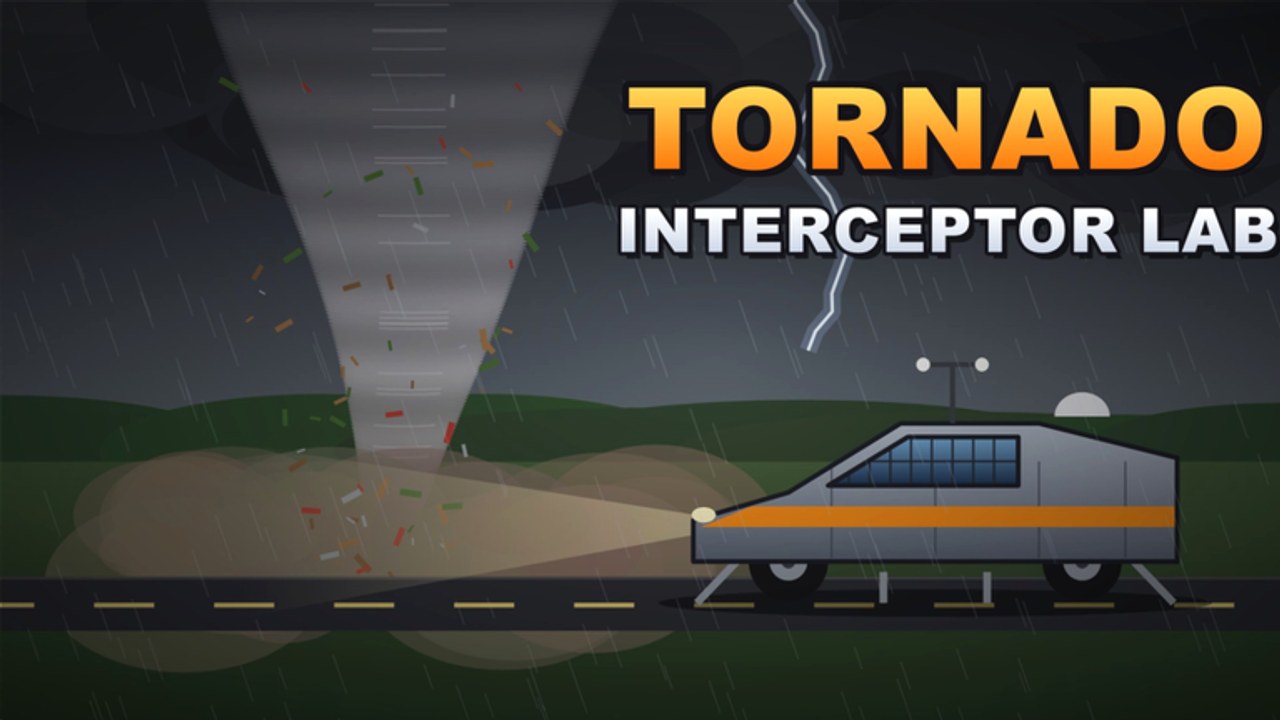
Welcome to the Beta
Tornado Interceptor Lab [Beta] is a free Roblox vehicle-sim and storm-chase experience by Arvexa studio. Early access opened 2026-11-04. You design and test armored interceptors in the lab, drive them into EF-rated tornadoes, earn cash and parts, then feed those rewards into the next upgrade cycle. Servers typically hold up to 10 players. The official place is linked from this wiki’s Links hub and from site metadata (UniverseId 10774715419).
This page is your first-hour checklist. It assumes you have never built a Dominator-style spike frame and have never heard the community mantra about flaps covering wheels. By the end you should know how to open the lab, roll a driveable shell, deploy protective kits, and abort a chase that is about to wreck your only car.
First session checklist
- Launch Tornado Interceptor Lab from Roblox and wait for the map and UI to finish loading.
- Find the lab / garage flow before you chase anything. Your economy loop starts with a vehicle that can move, not with a paint showcase.
- Place at least two wheels so the chassis can roll. Community builders (including OperaXD tips shared in chase videos) stress this as the absolute minimum.
- Draw clear body and window lines, then fill armor around those lines. Pick glass for windows, add an engine so the car drives, then add simple equipment such as a Mesonet or camera turret if you already own those parts.
- Lower the stance. Tall show cars look dramatic in the bay and fail in wind. Keep the body low enough that flaps can physically reach over the tires.
- Practice one dry flap deploy in calm air and look at the rear wheels. If rubber is still exposed, fix geometry before you enter a storm. Players associate full wheel coverage with roughly +30–50 better wind threshold.
- Take a mild intercept, bank cash and parts, then return to the lab. Do not blow your first earnings on cosmetics that raise ride height.
For deeper assembly order, continue in How to Build an Interceptor. For bind muscle memory, open Controls.
Core loop in plain language
Design and test in the lab → drive into EF-rated tornadoes → earn cash and parts → upgrade armor, flaps, spikes, sensors, and powertrain → repeat. Everything else (paint drama, Cad cloning, rare EF6 talk) is optional flavor around that loop.
Cash is for durable upgrades that raise survival. Parts unlock kit options. Threshold is the practical ceiling of wind your current geometry and deploy timing can survive. Notebook the highest EF band you walked away from with flaps still covering wheels; that number matters more than a lobby flex.
Cad 1 chase video (mid-article)
The embedded gameplay below is a real OperaXD chase featuring a Cad 1 community prototype (owner credit commonly given to XXpro-u5k). Watch how the vehicle approaches, when kits go down, and how readable the modules stay under stress. Community chat often debates blue paint plus flaps on the prototype versus finished Cad silhouettes—use the clip as a classroom, not a rivet-perfect blueprint.
After the video, write three notes: approach angle, deploy timing, and whether wheels stayed covered. Those notes feed How to Intercept Tornadoes and Flaps, Spikes & Deployment.
Early mistakes that waste hours
- Tall chassis first. You cannot recover threshold with paint. Lower the body, then kit.
- Spikes before flaps. Spikes are a commit layer. Flaps that shroud wheels are the foundation. See Flaps, Spikes & Deployment.
- Skipping dry deploys. If you only learn binds inside the wedge, you will abort late.
- Inventing codes. There are no verified public promo codes yet. Ignore random lists; watch Codes after official posts only.
- Copying a Cad silhouette without the low belt. Cad-likes teach layout clarity. They still obey the wheel-coverage rule or they drop in real storms—check the Tier List for archetype context.
Mild storm goals for session one
Aim for survival and data, not hero clips. Enter a lower EF band, deploy flaps early enough to cover wheels before the violent core, micro-correct steering instead of yanking the wheel, and peel off if coverage fails visually. Bank the run. Rebuild one weak panel. Repeat.
When you feel stable, add a Dominator-inspired spike frame or a Cad-style teaching shell as a second garage slot—not as a replacement for the low flap tank that already works. Paint guidance lives on Paint & Customize; survival math lives on Threshold & Survival.
Multiplayer etiquette in 10-player servers
Call your role briefly: scout, flap tank, or spike commit. Do not block the lab exit. Share clear screenshots of flap seating when you ask for build help. Credit prototype owners when you showcase Cad 1 derivatives. Beta patches can retune wind and parts; retest after notes on Updates.
What to read next
- How to Build an Interceptor
- Controls
- Flaps, Spikes & Deployment
- How to Intercept Tornadoes
- Threshold & Survival
- Paint & Customize
Return to the Guides Hub whenever you need the full map. Keep facts consistent: Roblox only, Arvexa studio, free Beta, flap-first meta, no invented codes, and rare EF6 discussion around extreme 261+ mph talk—not a daily farm target.
Frequently Asked Questions
Quick answers about builds, intercepts, codes, and survival.
What should I do in my first Tornado Interceptor Lab session?
Open the lab, build a low driveable shell with at least two wheels, practice flap deployment so wheels are covered, then take a mild intercept and bank cash before buying cosmetics.
Why do players say flaps must cover the wheels?
Community builders link a low stance with flaps shrouding the tires to roughly +30–50 better wind threshold. It is the highest-signal survival habit in Beta.
Who owns the Cad 1 prototype in the OperaXD video?
Cad 1 community ownership is commonly credited to XXpro-u5k. Treat the vehicle as a teaching example; blue paint and flap debates versus finished Cad cars are community discussion, not required clones.
Are there promo codes for new players?
No verified public promo codes are available yet. Do not invent codes; recheck the Codes hub after official Arvexa announcements.
How many players are in a server?
Tornado Interceptor Lab servers are built around a maximum of about 10 players on Roblox.